
The full list
The app picks a player from the file extension or the link you give it. Knowing which type you are adding makes the quality settings on the Wallpaper tab much easier to reason about.
Files and pictures
- Video: mp4 and webm, plus mkv, mov, avi, wmv, m4v, mpg, mpeg4, flv, ogv and similar - all handled by the video player, with hardware decoding where possible.
- Still picture: jpg, jpeg, png, bmp, webp, tif and tiff.
- Animated GIF: gif.
- Web page: html, which can be a single file or a small site with its own assets.
- Application or game: an exe that draws its own window, including Godot and Unity builds.
- Wallpaper pack: a Lively zip, which is unpacked into your wallpaper folder.
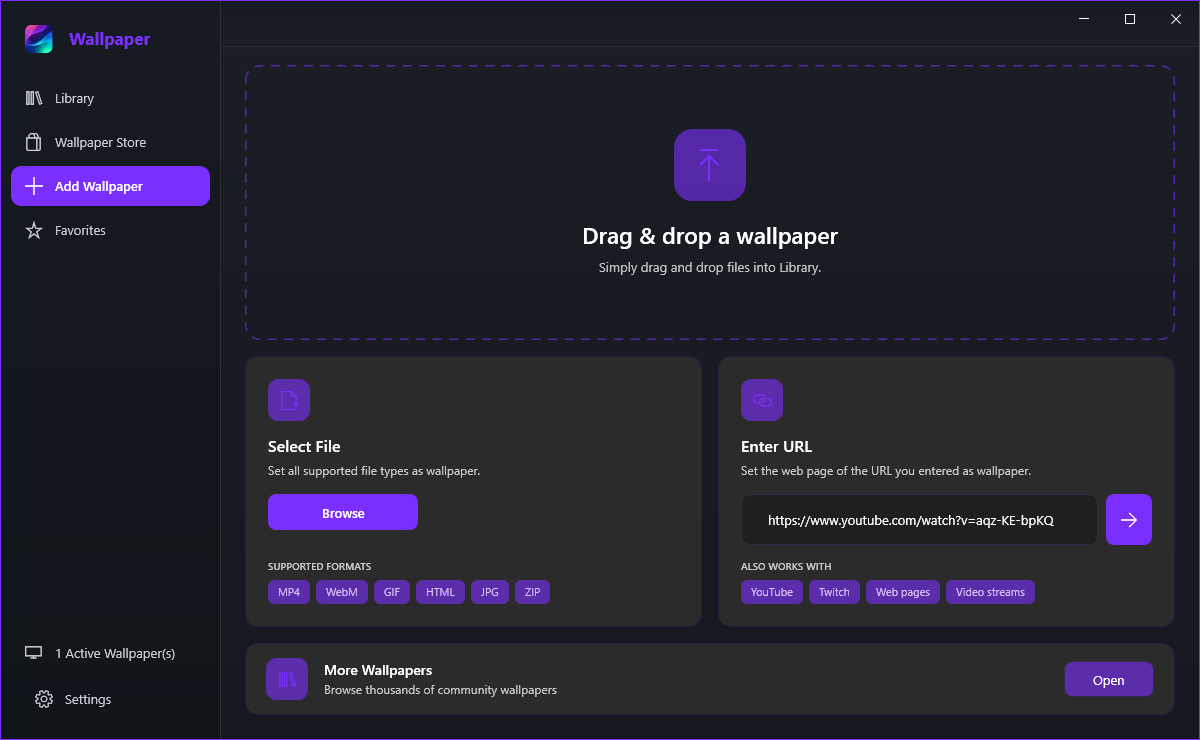
The Add Wallpaper page shows the common ones as chips: MP4, WebM, GIF, HTML, JPG and ZIP.
For anything longer than a second or two, video wins: mp4 and webm are decoded in hardware, they can be paused, muted and scaled, and they cost far less CPU per second than a GIF of the same size. A GIF is fine for a small looping animation and needs no codec support at all - and the app can play it with either the lightweight Windows player or the mpv-based one.
Web pages and streams
Yes. Paste the address into Enter URL and press the arrow. A page with its own animation, canvas or WebGL scene becomes a fully interactive wallpaper, drawn by the browser engine chosen in Settings > Wallpaper. The ALSO WORKS WITH chips list YouTube, Twitch, Web pages and Video streams.
They do. A supported stream link is detected and played through the video player instead of being loaded as a web page, which is much lighter and lets you cap the quality. Leave Detect Streams on for that behaviour; turned off, the same link is simply loaded as a web page.
Store packs and quality
Store wallpapers arrive as complete packs - video, web page and image types across the categories - and install into the Library like anything else. Free wallpapers exist in every category; the rest carry the gold Premium badge.
They all live on Settings > Wallpaper: Choose a fit for scaling, Video Player where mpv is the default and vlc the alternative, GPU Decode for hardware acceleration, Gif Player for animated GIFs, Video Quality for online streams, and Engine for web wallpapers.