Settings, Wallpaper tab
This tab is about how a wallpaper is drawn rather than when: the fit, the players, and the browser engine used by web wallpapers. Most changes take effect the next time a wallpaper of that type starts.
Fitting it to the screen
- Open Settings > Wallpaper.
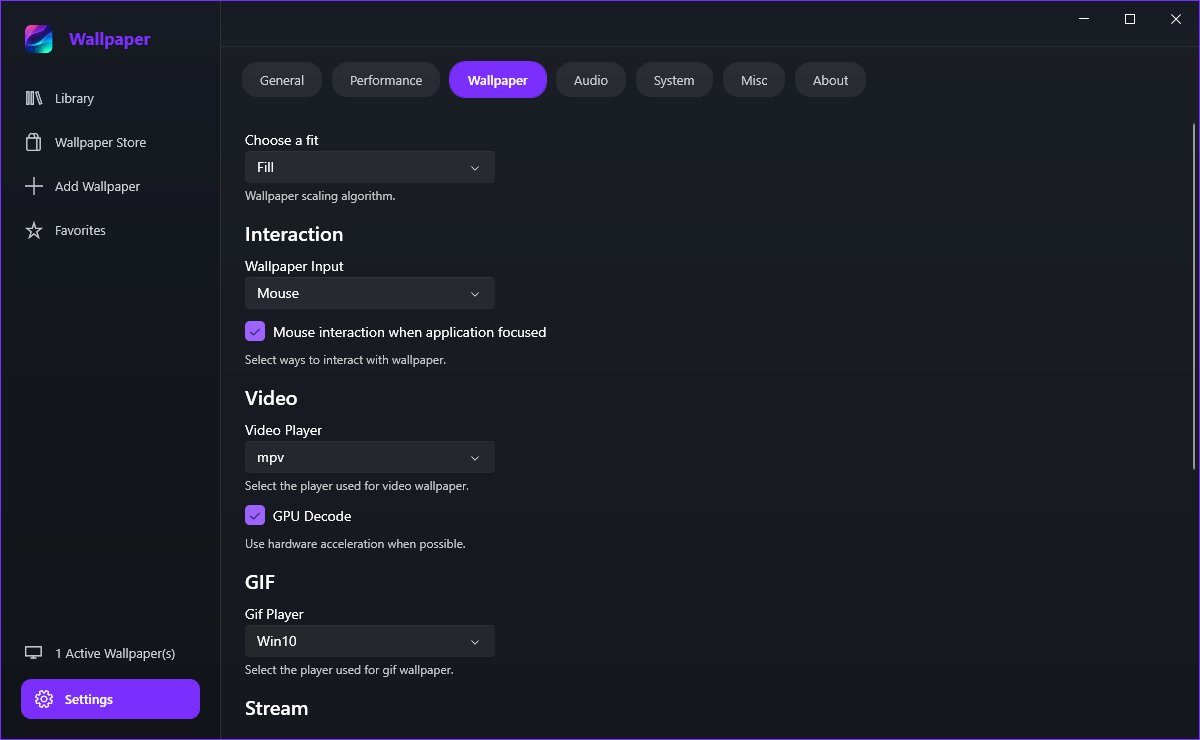
- Open the Choose a fit dropdown.
- Pick the fit you want: None renders at natural size, Fill covers the screen, Uniform shows the whole picture with bars, Uniform Fill covers the screen without distorting the picture.
- Set the wallpaper again to see the result.
Auto lets each wallpaper choose the fit that suits its own content, which is the safe choice for web and application wallpapers that already know the size of your screen.
Players and interaction
mpv is the default and the one to keep on most machines. vlc is the alternative when mpv struggles with a particular file. Leave GPU Decode on for hardware acceleration, and turn it off only if video wallpapers cause graphical glitches - decoding then falls back to the CPU.
Wallpaper Input decides whether mouse and keyboard input are forwarded into the wallpaper, and the checkbox underneath keeps that interaction limited to the desktop - so you are not typing into a wallpaper by accident while working in another window.
Use Gif Player to choose which engine draws animated GIFs: the Windows player is the lightest and the default, while the mpv-based options behave more like the video wallpapers. If a GIF stutters, converting it to a short looping mp4 usually helps far more than any switch here.
Streams and web wallpapers
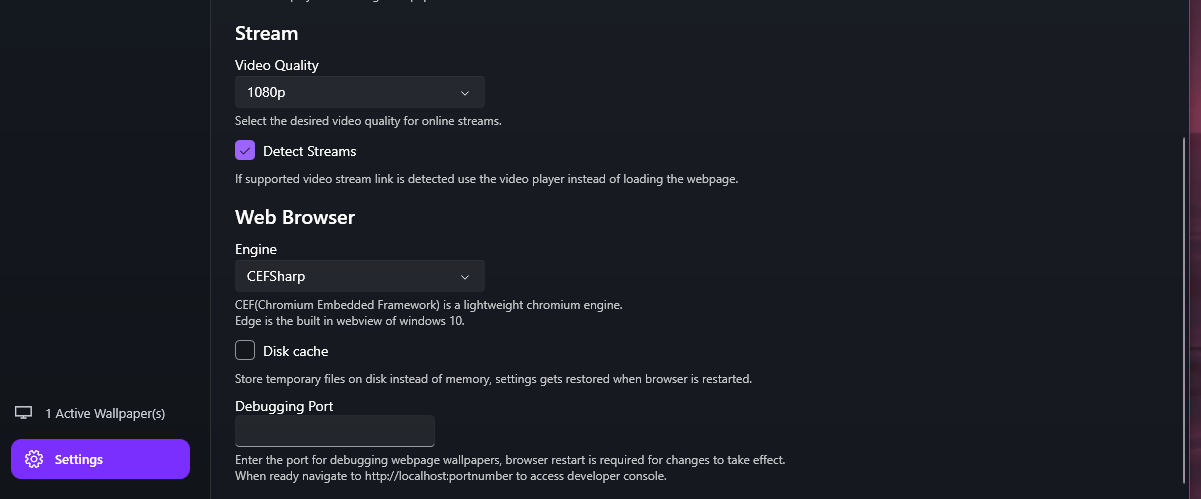
Set Video Quality under Stream to cap the resolution used for online wallpaper streams. It runs from 144p up to 1080p, so a 4K YouTube link does not try to decode 4K behind your desktop. Detect Streams is what keeps those links pointed at the video player rather than the browser.
Engine under Web Browser chooses between CEFSharp, a lightweight Chromium that ships with the app, and Edge, which uses the WebView2 runtime already present on Windows 10 and 11. CEFSharp is the default; Edge is worth trying when a page misbehaves. Disk cache keeps web files on disk instead of in memory, and Debugging Port exposes a developer console for a web wallpaper - both need a restart of the browser to take effect.