Your own files and links
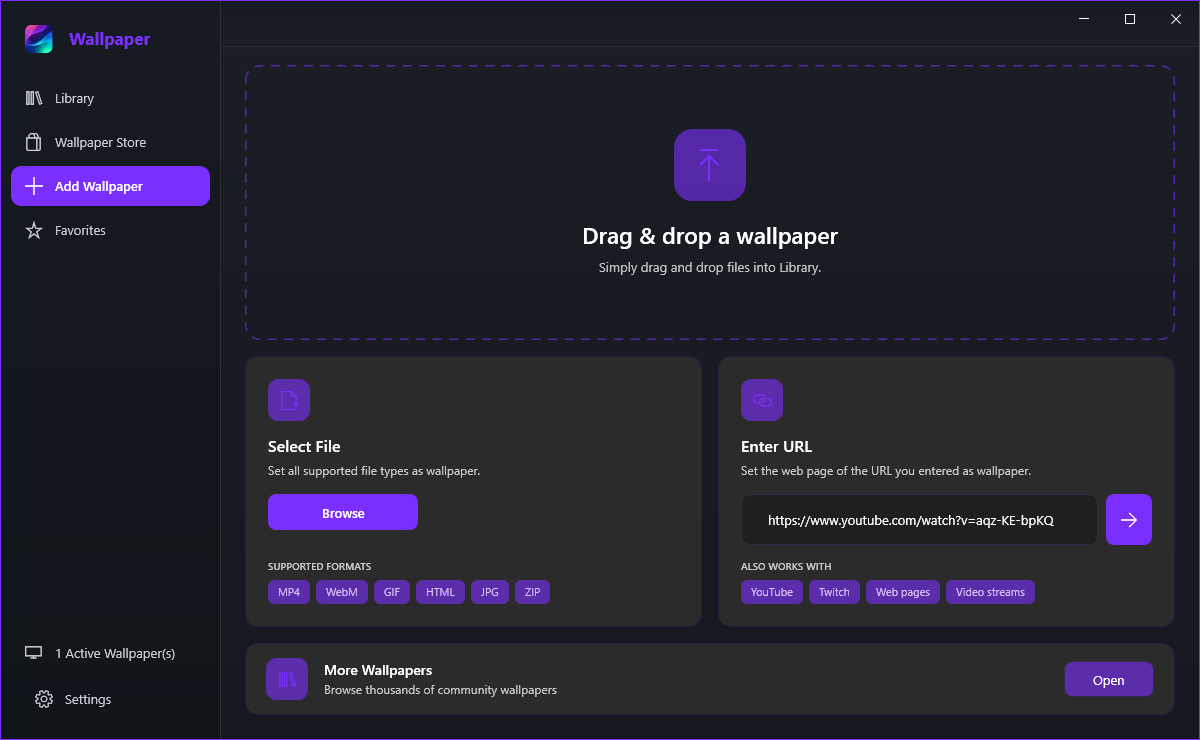
Add Wallpaper is where local files and web links become wallpapers. The page has a drop area at the top, a Select File card, an Enter URL card and a link out to the community gallery.
Adding a file
- Open Add Wallpaper in the sidebar.
- In the Select File card, click Browse.
- Pick a video, picture, GIF, HTML page, application or wallpaper zip and confirm.
- Wallpaper Lively X switches to the Library and the wallpaper starts processing there.
The SUPPORTED FORMATS chips list the common ones: MP4, WebM, GIF, HTML, JPG and ZIP.
Yes. The file picker accepts multiple selections and a dialog then lets you decide what to do with each item, so a folder full of clips can be imported in one pass. Files you add are referenced from where they already live; a wallpaper zip is unpacked into your wallpaper folder instead.
Drag and drop
Yes, and it is the fastest route. Drag files onto the dashed area at the top of Add Wallpaper - or onto the Library page, which accepts the same drops - and the frame highlights while you are over it. Drop a single file and it is imported; drop several and the multi-import dialog appears.
- Videos and pictures - played directly, with the file left where it is.
- An animated GIF - handled by the GIF player.
- A .zip wallpaper pack - unpacked into your wallpaper folder, if it is a valid pack; anything else is refused with an explanation.
- An .exe - run as an application wallpaper, which shows a warning first because you are handing your desktop to a program.
- A web link - dropped from a browser address bar or a page, and used as a web wallpaper.
Adding a link
- Paste the address into the field in the Enter URL card.
- Click the arrow button beside it.
- The app decides what the link is: a YouTube or Twitch link becomes a video stream at the quality set in the settings, and any other address is loaded as a web page.
The ALSO WORKS WITH chips spell out the routes: YouTube, Twitch, Web pages and Video streams.
The card at the bottom of the page, More Wallpapers, opens the community gallery in your browser - thousands of wallpapers made by other people, which you then download and add as a file or zip.