How to Compare Files Pair by Pair?
Pairwise comparison answers one question: inside a duplicate group, how similar is every pair of files? It is the fastest way to judge whether a lower similarity group is really the same video.
Step 1: Open the tool
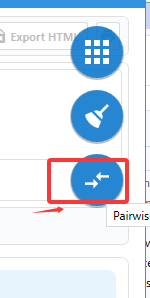
Hover the tool balls in the top-right corner and click the ball with the two arrows.
Step 2: Choose a folder and scan
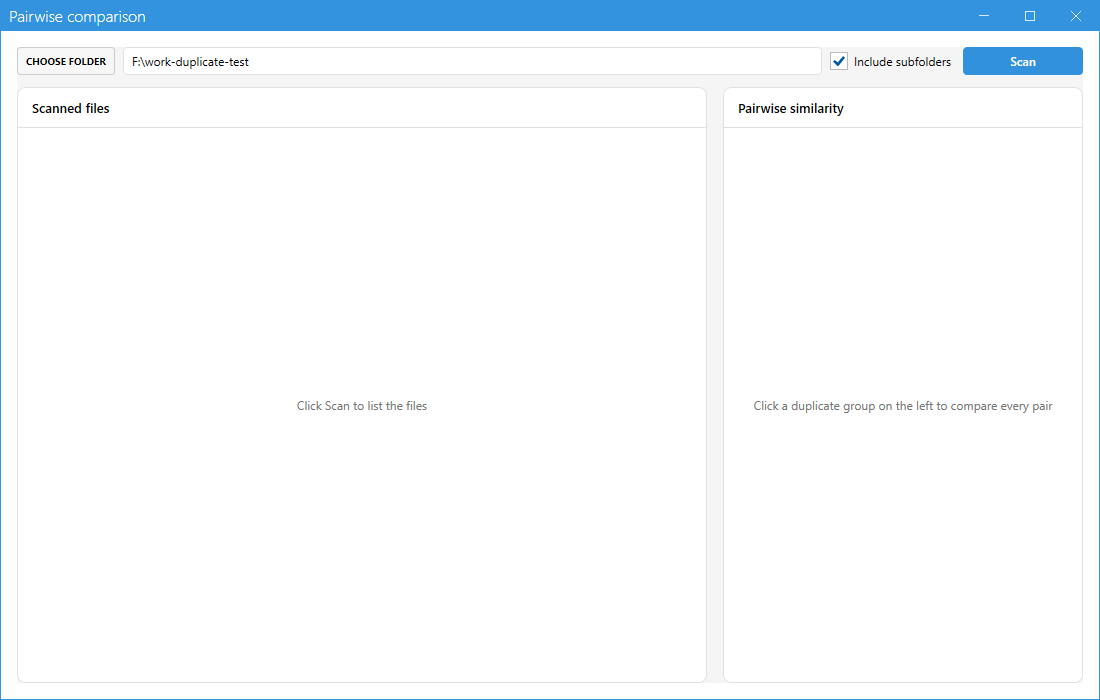
Click CHOOSE FOLDER, pick the folder, decide whether sub folders should be included and press Scan.
Step 3: Read the scanned files list
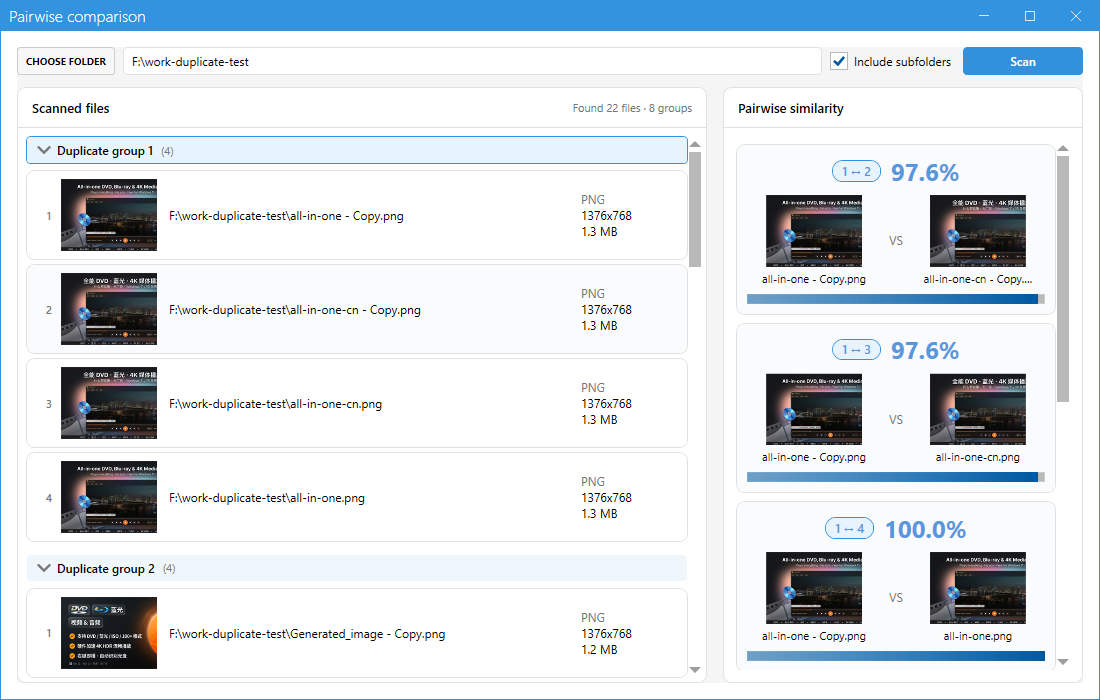
The left pane groups the files the same way the scanner does. The header tells you how many files and how many groups were found.
Step 4: Switch between groups
Click another group header on the left and the right pane is rebuilt for that group.
Step 5: Read a pair card
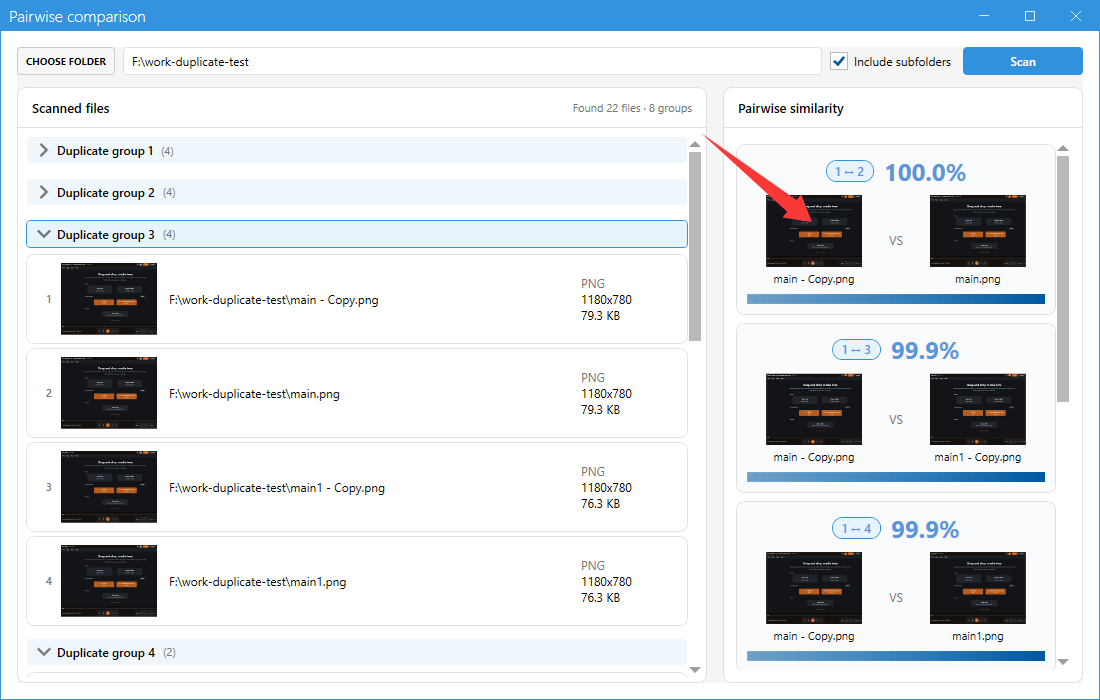
Each card shows the pair number, the similarity percentage, both thumbnails and both file names, plus a bar for the score. Files at 100% are byte identical, 97% usually means the same video with a different encoder or resolution.
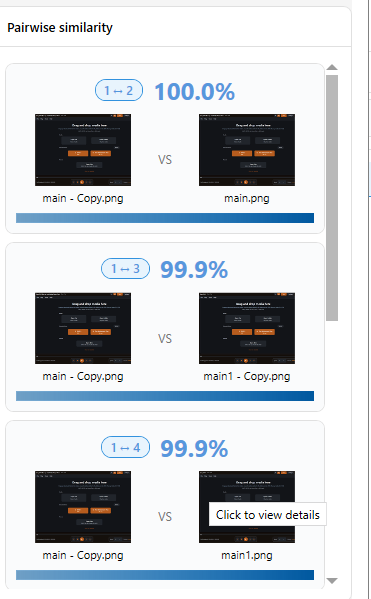
Step 6: Compare frame by frame
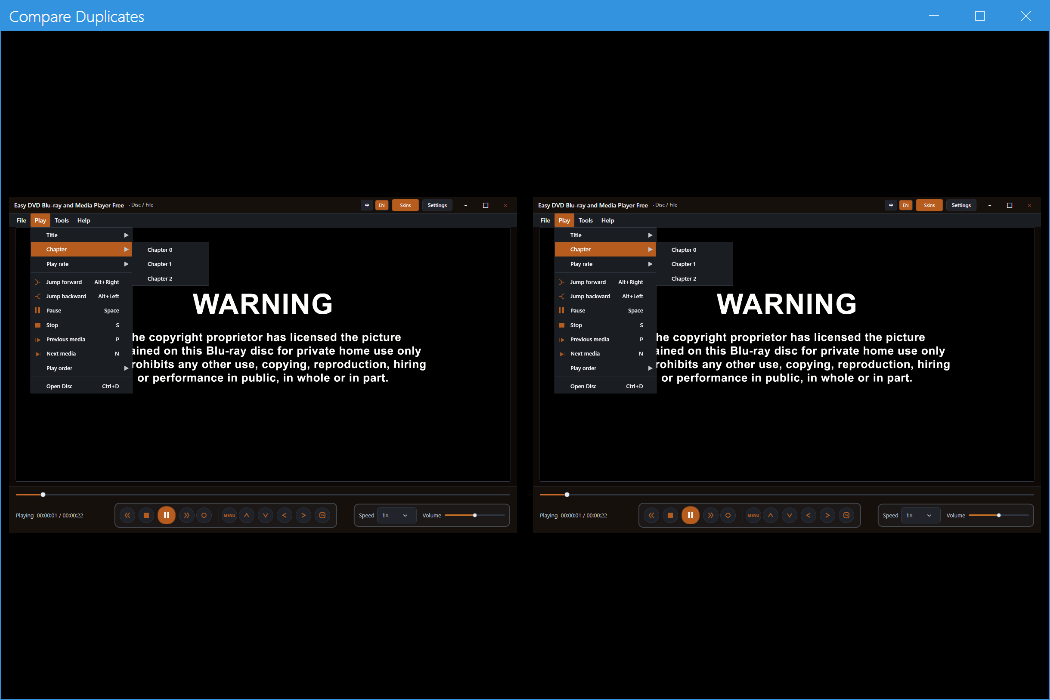
Click a pair card to open the side-by-side player. Both videos play in sync, so you can confirm frame by frame that one of them can be removed.
Also available from the scanner
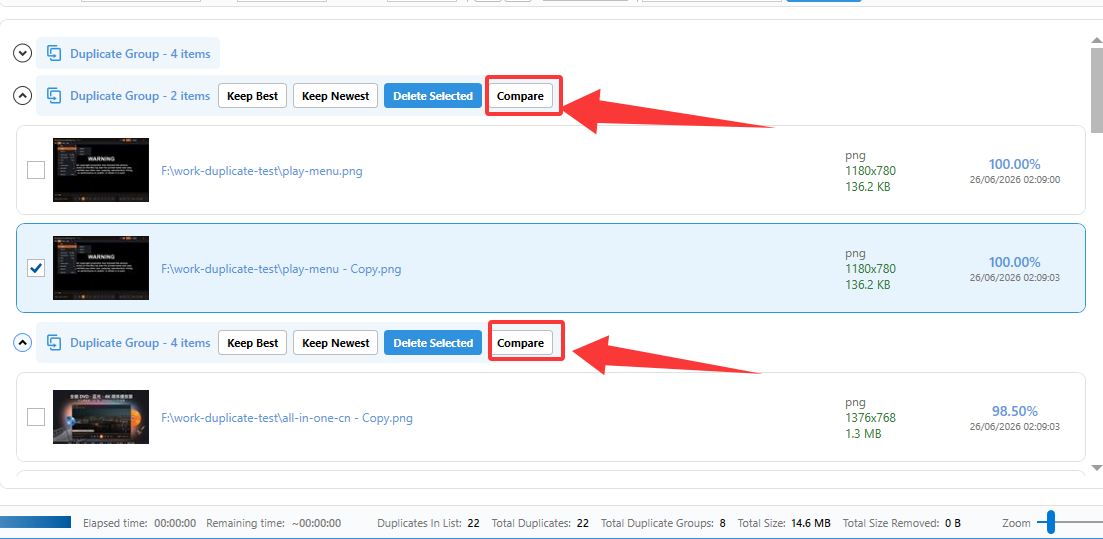
Every group header in the main window has its own Compare button that opens the same side-by-side player for the two files you care about.
Tips
- Use it before bulk deleting groups with a similarity below 100%.
- The folder you pick is remembered, so the next scan is one click away.
- Pairwise comparison never deletes anything, it only shows how similar the files are.