What's New in 2.1.17
Version 2.1.17 adds a floating tool entry to the main window and ships two brand new tools: a junk cleaner and a pairwise comparison window. This page covers only what is new; everything that existed before works exactly as it did.
New: floating tool balls
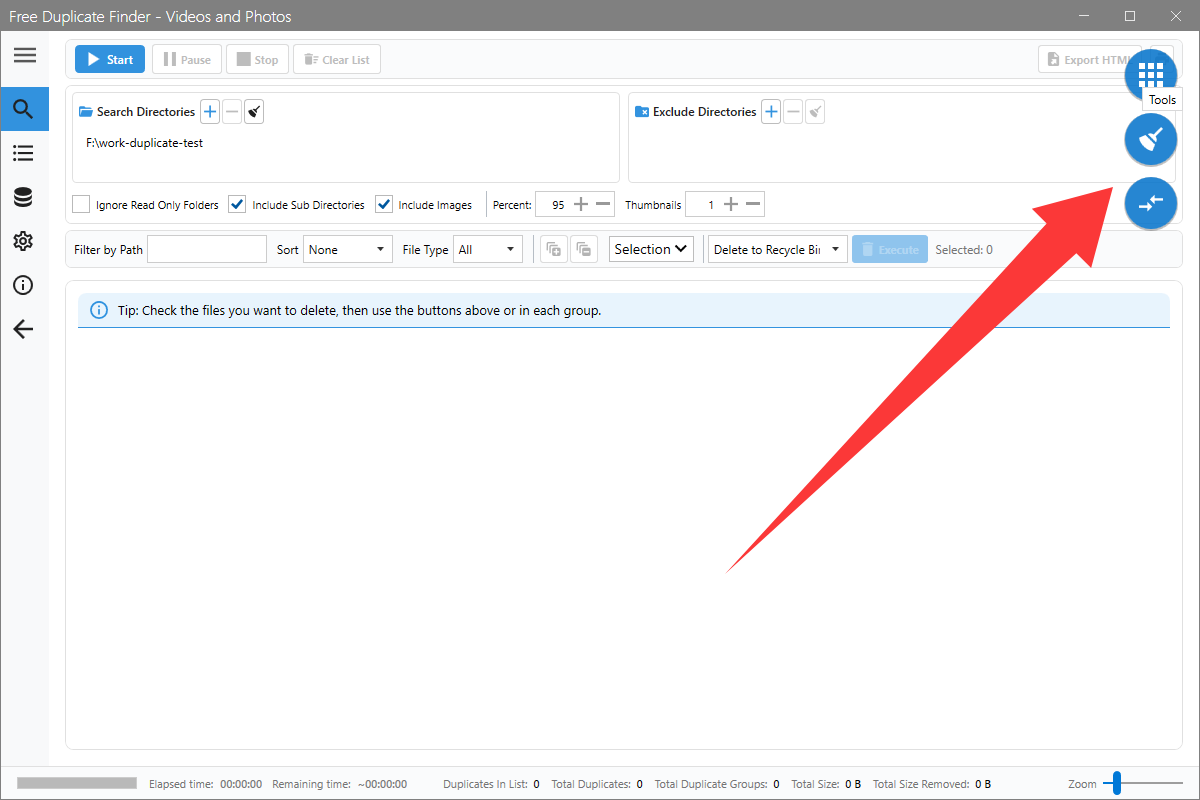
Three blue balls float in the top-right corner of the main window, so the extra tools are always one hover away.
- Move the mouse over the grid ball and two more balls slide out.
- The broom opens the junk cleaner, the two arrows open pairwise comparison.
- Click the grid ball once to pin the tools unfolded, click again to fold them back.
- Press and drag any ball to move the whole group somewhere more comfortable.
New tool: junk cleaner
The broom ball frees space outside of your media collection.
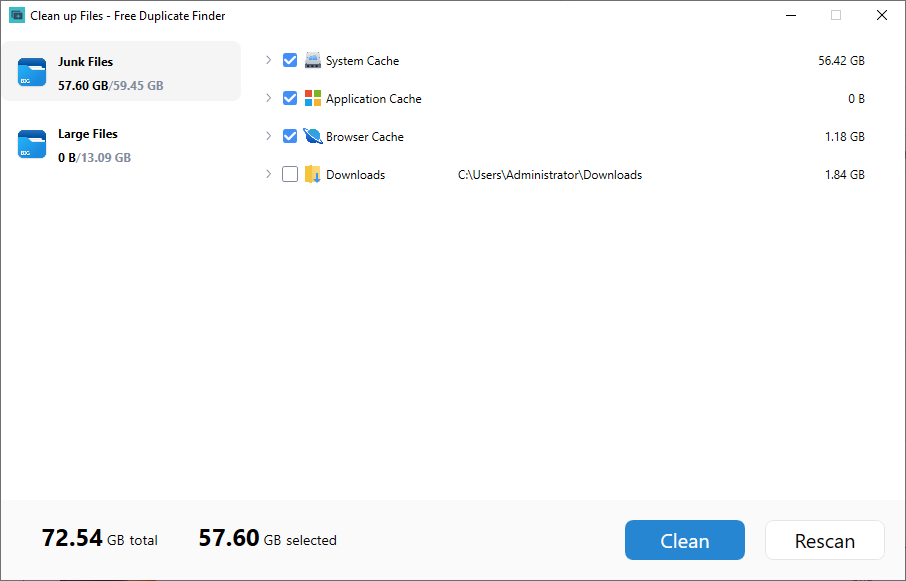
- The cleaner starts scanning junk categories right away; Stop cancels the scan and the found size keeps counting up.
- Junk Files lists System Cache, Application Cache and Browser Cache with their sizes. Click the arrow in front of a category to see the temporary files, logs or per-browser caches inside, each with its own checkbox.
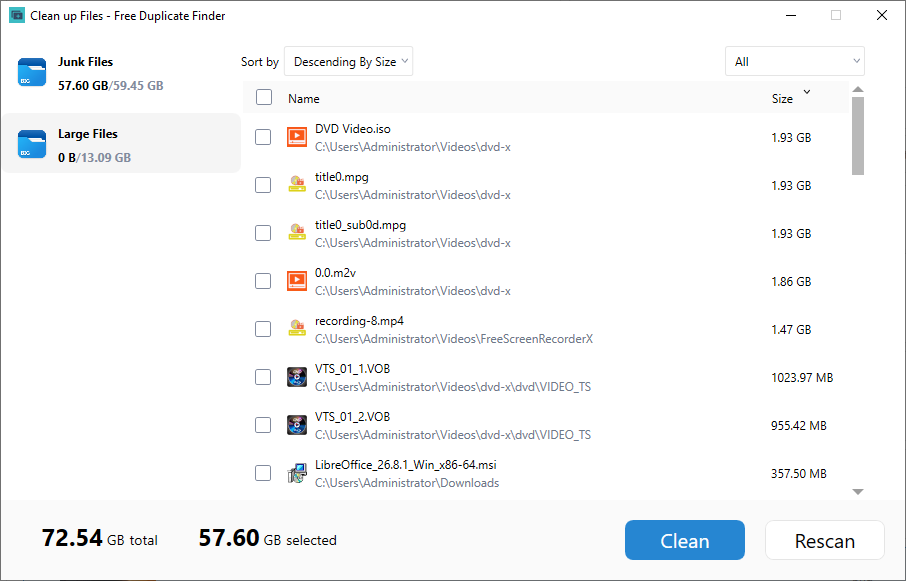
- Large Files lists the biggest files in your user folders. Filter them below 500 MB, between 500 MB and 1 GB or above 1 GB, then sort to find the space hogs.
- The bar at the bottom shows the total size and the selected size. Clean sends the selection to the Recycle Bin, Rescan refreshes the list.
New tool: pairwise comparison
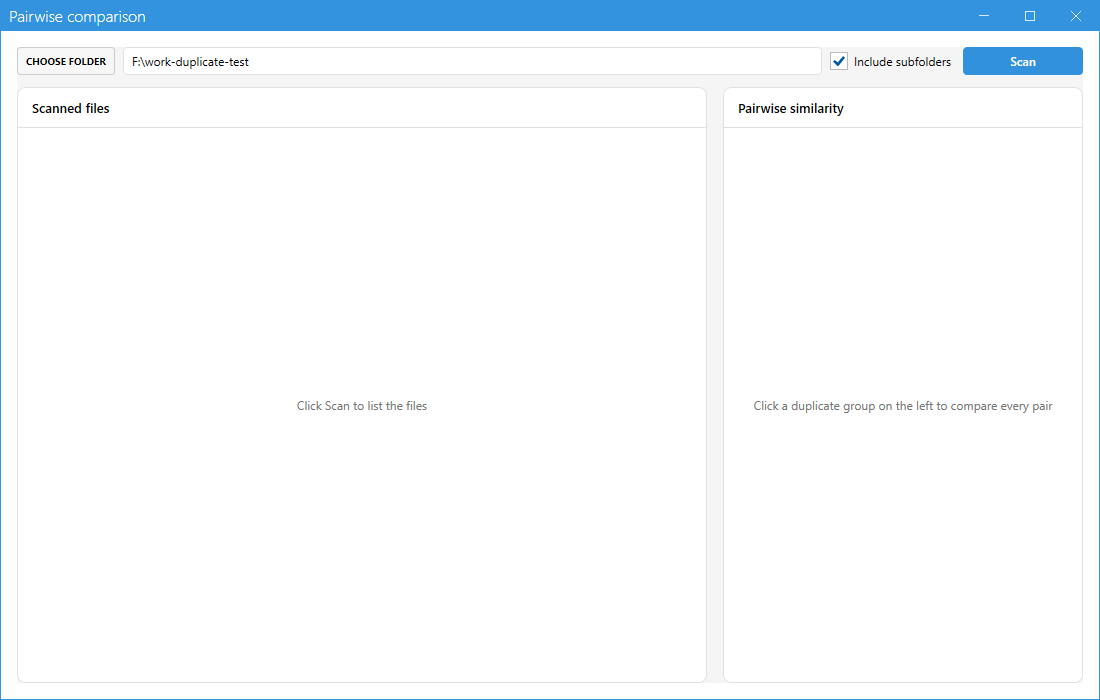
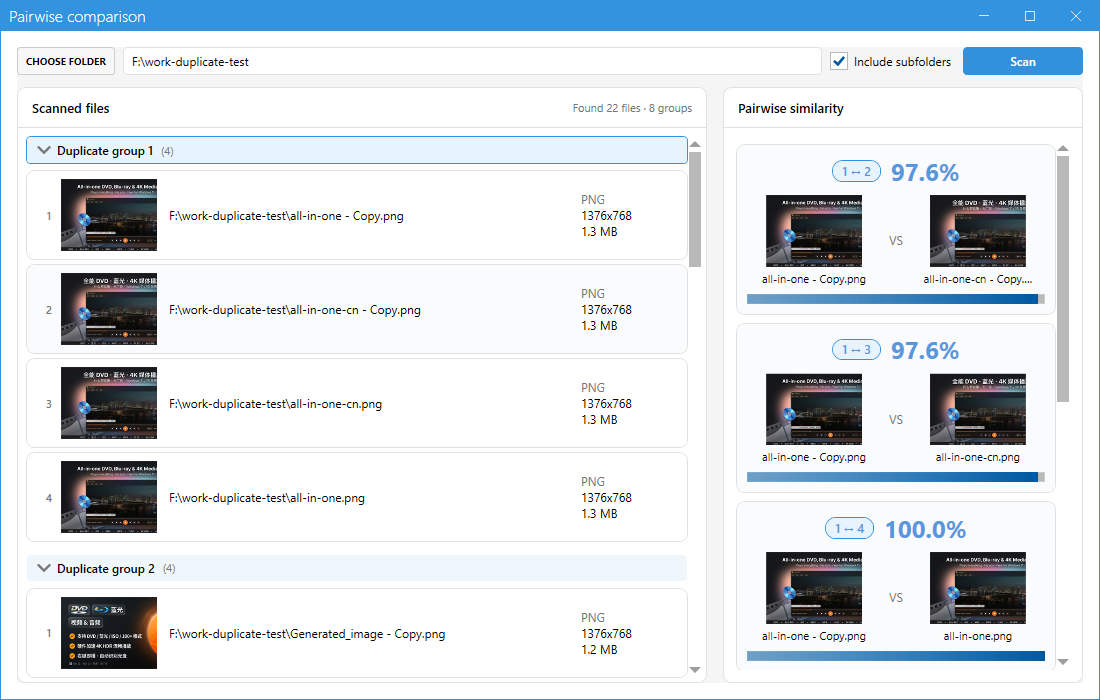
The compare window answers one question: inside a duplicate group, how similar is every pair of files?
- Hover the tool balls and click the ball with the two arrows.
- Click CHOOSE FOLDER, decide whether sub folders should be included and press Scan.
- The left pane groups the files the same way the scanner does. Click a group and the right pane lists every pair of that group with its similarity percentage.
- Click any pair card to open both files in the synchronized side-by-side player and confirm frame by frame which copy can go.
Where to read the details
Each new feature is documented step by step in the full tutorial: chapter 1 – main window and tool balls, chapter 8 – junk and large files and chapter 9 – pairwise comparison.
Nothing else changed: searching, selecting, deleting, filtering and the settings pages all work as before.