Video & Audio Settings
视频与音频设置
Video Settings
视频设置
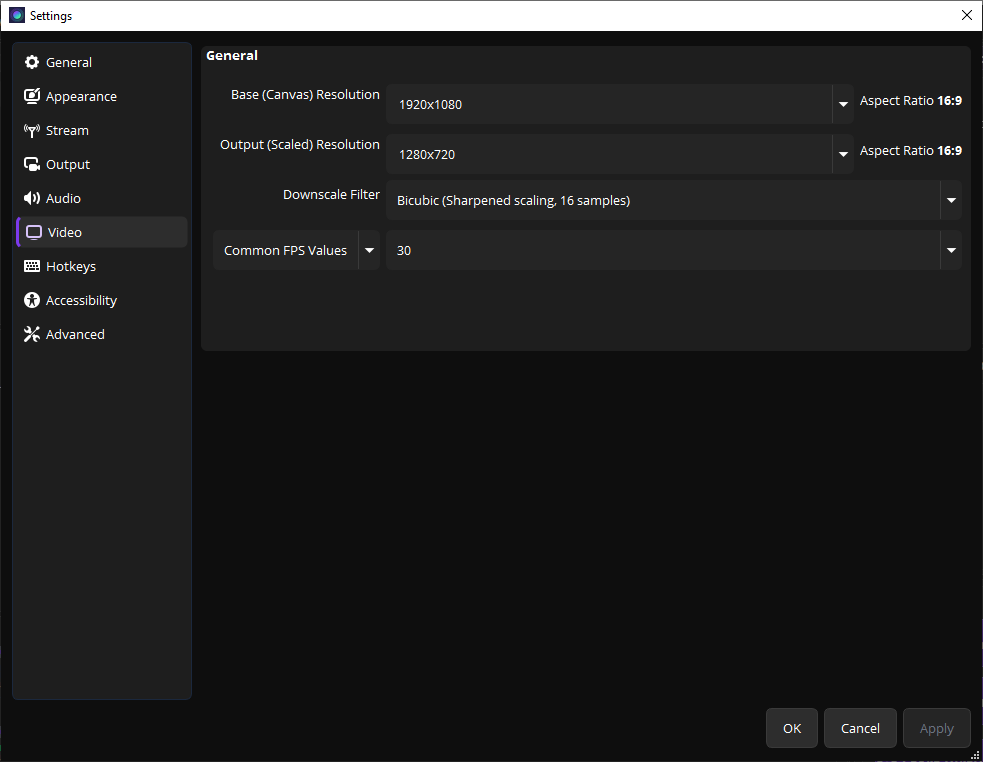
Video settings page
视频设置页面
1
Base Resolution — Set this to your monitor's resolution (e.g., 1920×1080).
基础分辨率 — 设为你的显示器分辨率(如 1920×1080)。
2
Output Resolution — The resolution of your recording. 1280×720 is good for most purposes.
输出分辨率 — 录制输出分辨率,1280×720 适合大多数场景。
3
FPS — 30 fps is fine for tutorials. Use 60 fps for gaming recordings.
帧率 — 30 fps 适合教程,游戏录制建议 60 fps。
Audio Settings
音频设置
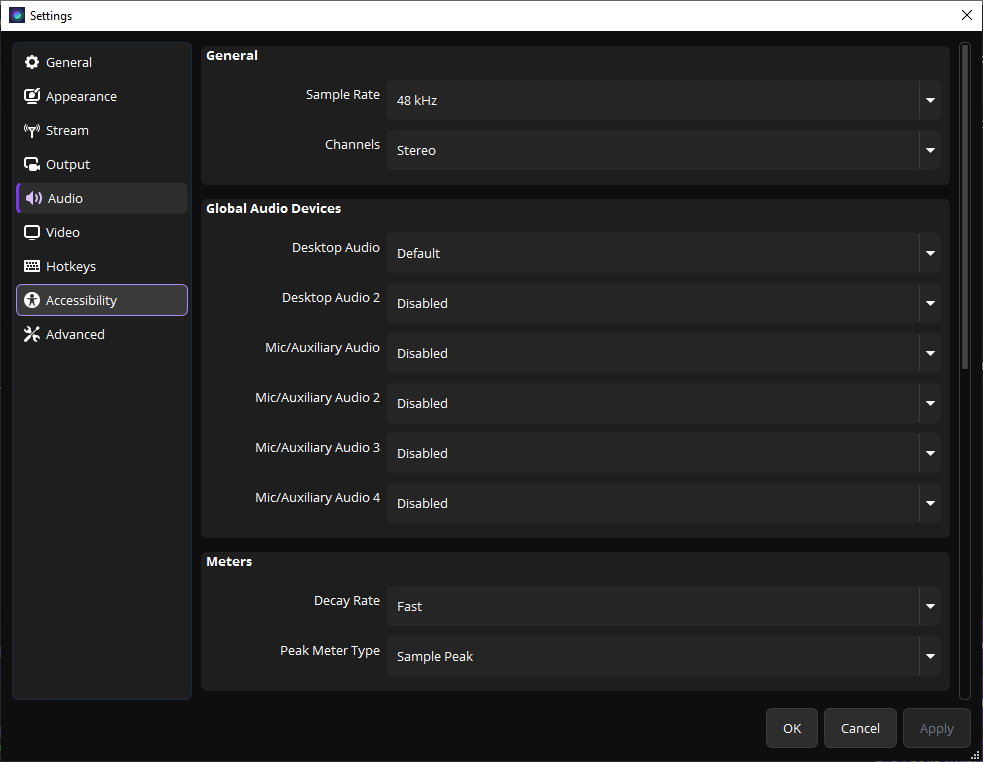
Audio settings page
音频设置页面
1
Sample Rate — 48 kHz is standard. Keep it at default.
采样率 — 48 kHz 是标准值,保持默认即可。
2
Desktop Audio — Select your default playback device to capture system sounds.
桌面音频 — 选择默认播放设备以录制系统声音。
3
Mic/Auxiliary Audio — Select your microphone to record your voice.
麦克风/辅助音频 — 选择麦克风以录制你的声音。
If you only want to record screen without voice, set Mic to "Disabled".
如果只想录屏不录人声,将麦克风设为"禁用"。