General & Output Settings
常规与输出设置
Open Settings from the menu bar or press Ctrl+comma. Let's go through the important settings.
从菜单栏打开设置或按 Ctrl+逗号,我们来了解重要设置。
General Settings
常规设置
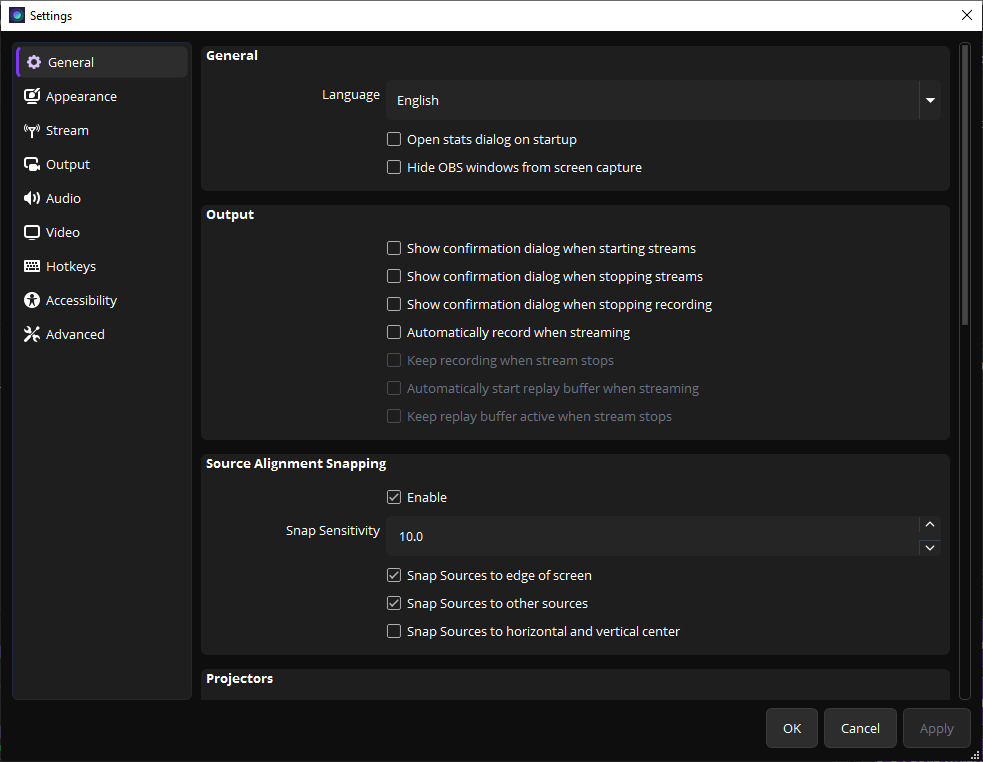
General settings page
常规设置页面
1
Language — Set your preferred language for the interface.
语言 — 设置界面显示语言。
2
Output Resolution — Choose "Use stream output resolution" for most cases.
输出分辨率 — 一般选择"使用串流输出分辨率"。
Output Settings
输出设置
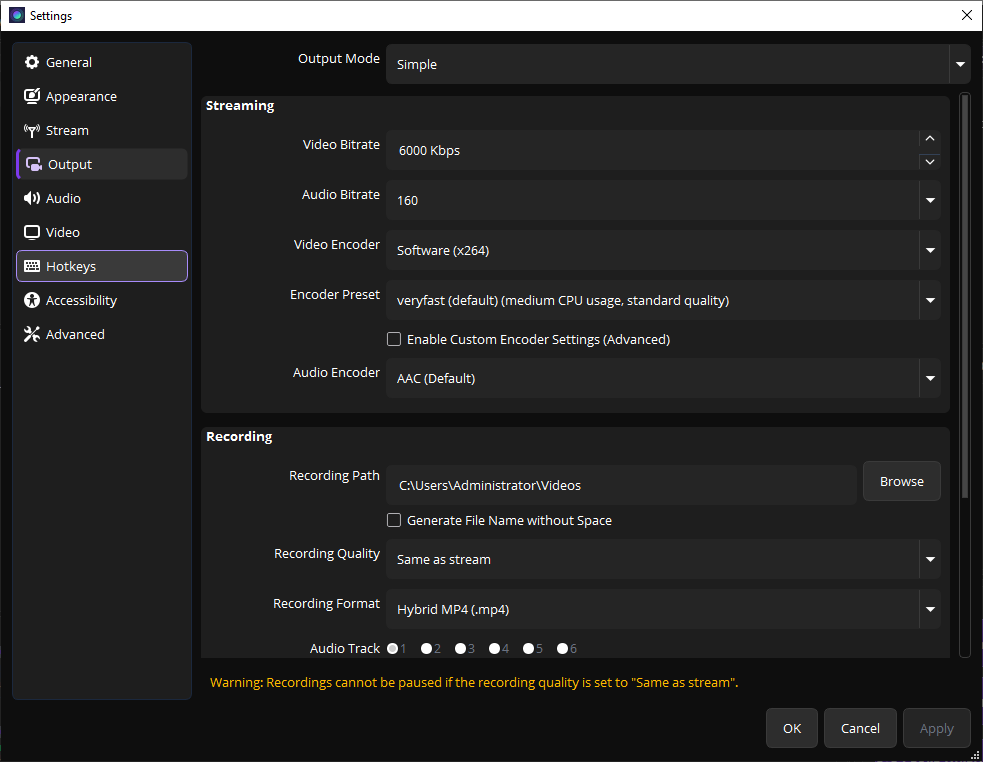
Output settings page
输出设置页面
1
Output Mode — Use "Simple" for beginners. "Advanced" gives more control.
输出模式 — 新手用"简单"模式,"高级"模式提供更多控制。
2
Recording Path — Choose where your recordings will be saved.
录制路径 — 选择录制文件的保存位置。
3
Recording Quality — "High Quality" is recommended for most users.
录制质量 — 推荐选择"高质量"。
4
Recording Format — MKV is safest (crash-proof), MP4 is most compatible.
录制格式 — MKV 最安全(崩溃不丢数据),MP4 兼容性最好。
If you choose MKV, you can always remux to MP4 later via File → Remux Recordings.
选择 MKV 后,随时可以通过 文件 → Remux 录制 转换为 MP4。