Welcome to Trio Screen Studio
欢迎使用 Trio Screen Studio
Trio Screen Studio is a free, powerful screen recorder based on OBS Studio. It lets you capture your screen, window, or specific region with ease — no watermark, no time limits.
Trio Screen Studio 是一款基于 OBS Studio 的免费屏幕录制工具,支持全屏、窗口和区域录制——无水印、无时间限制。
Quick Start — Record in 3 Easy Steps
快速上手 — 三步开始录制
No experience needed! Just follow these 3 steps and you'll be recording in minutes.
无需任何经验!跟着下面 3 步操作,几分钟就能开始录制。
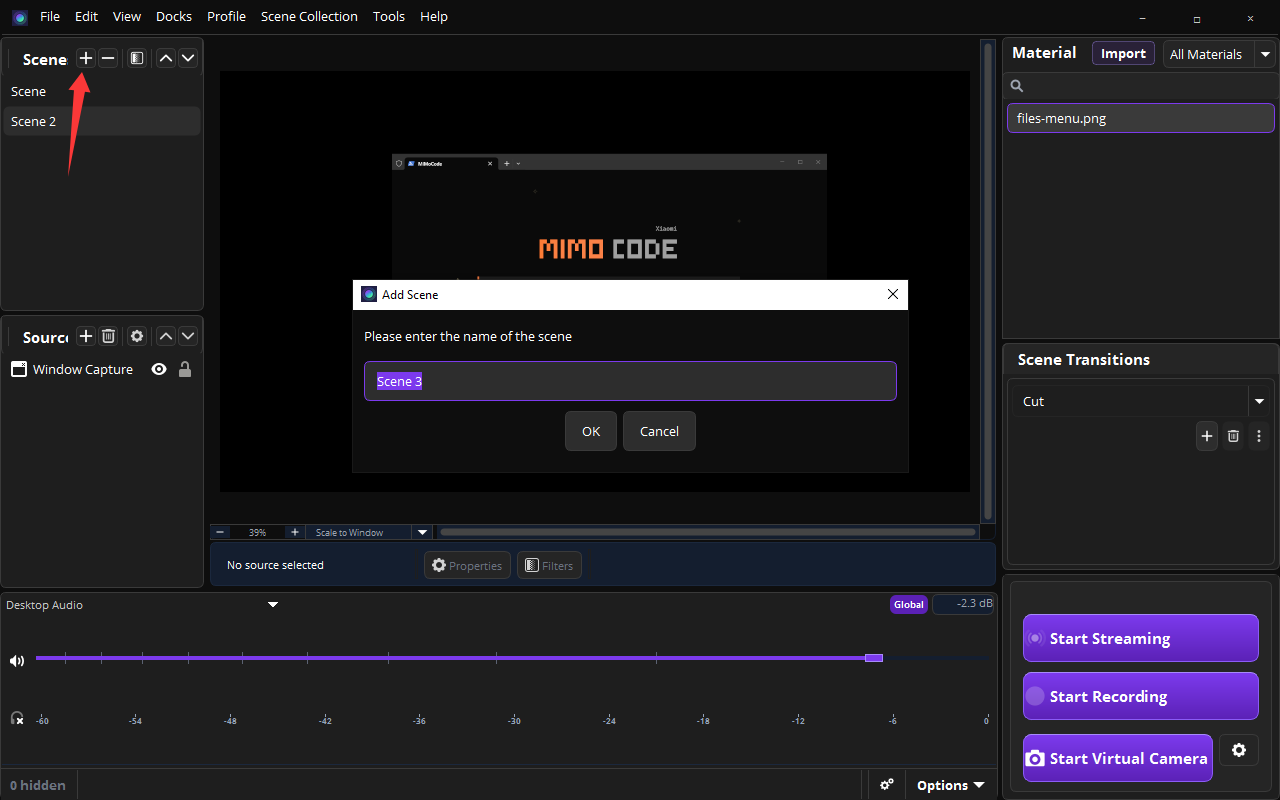
In the Scene panel (top-left), click the + button, type a name (e.g. "Scene 3"), then click OK.
在左上角场景面板中点击 + 按钮,输入名称(如 "Scene 3"),点击确定。
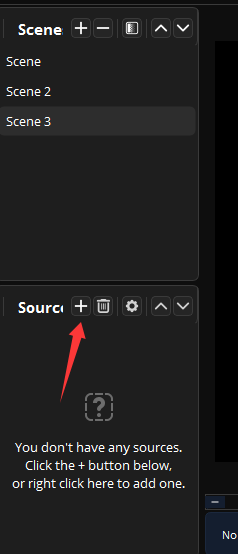
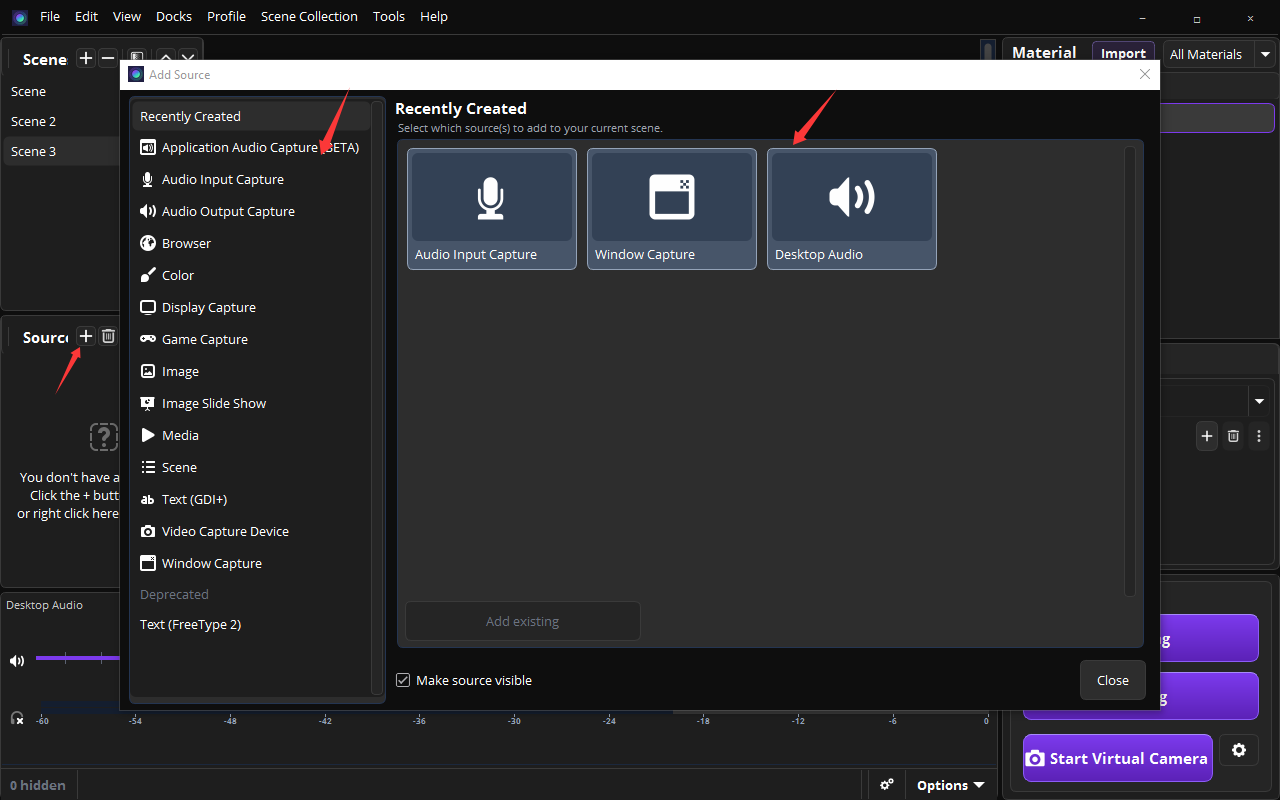
In the Sources panel (below the Scene panel), click the + button and choose what to record:
在源面板(场景面板下方)点击 + 按钮,选择要录制的内容:
- Display Capture — record your entire screen
- 显示器捕获 — 录制整个屏幕
- Window Capture — record a specific application window
- 窗口捕获 — 录制指定应用窗口
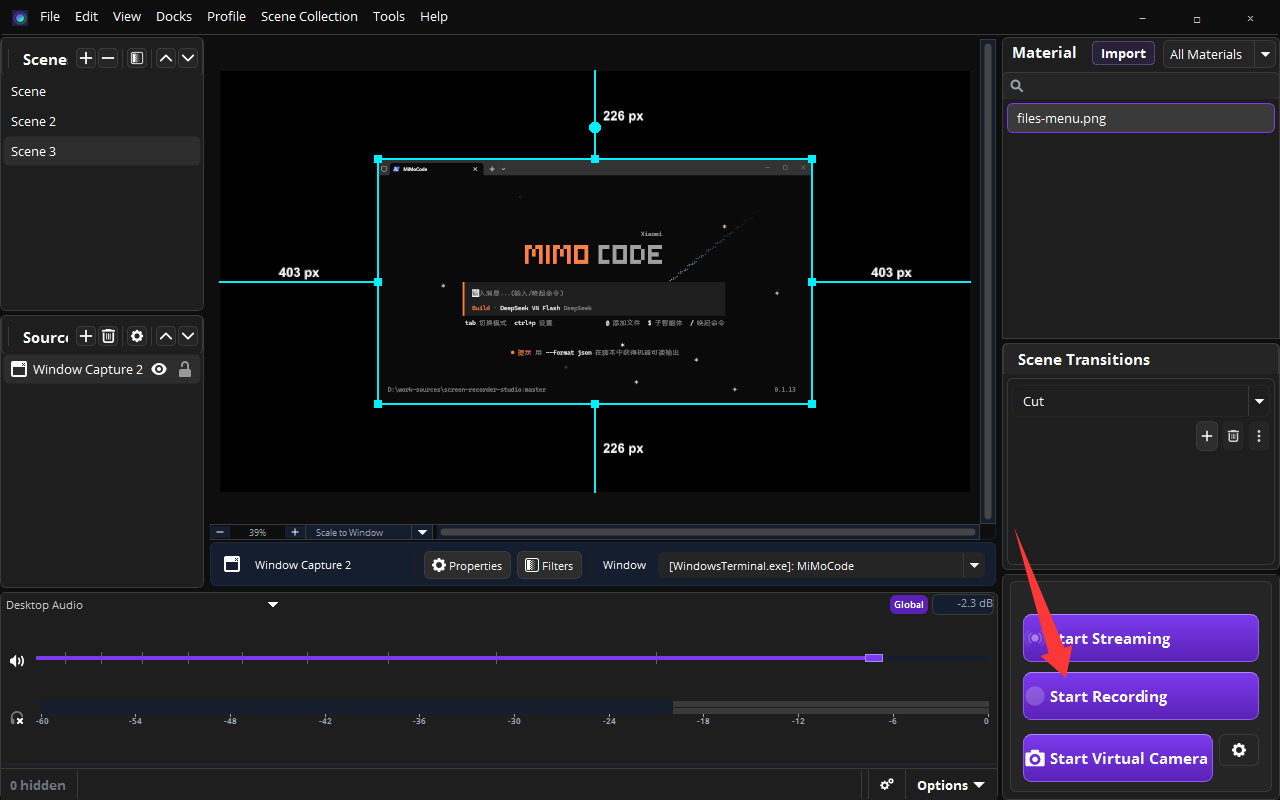
Click Start Recording in the bottom-right corner. Click it again when you're done — your video is saved automatically.
点击右下角的开始录制按钮。录制完成后再次点击即可停止,视频会自动保存。
Key Features
主要功能
- Screen Recording — Record full screen, specific window, or custom region
- 屏幕录制 — 全屏、指定窗口或自定义区域录制
- Multiple Sources — Add camera, images, text overlays and more
- 多源叠加 — 添加摄像头、图片、文字水印等
- Scene Management — Create and switch between multiple scenes
- 场景管理 — 创建和切换多个场景
- Audio Mixing — Capture system audio and microphone simultaneously
- 音频混合 — 同时录制系统声音和麦克风
- Hotkeys — Control recording with customizable keyboard shortcuts
- 快捷键 — 自定义键盘快捷键控制录制