
1. RipDVD 是干什么的1. What RipDVD is for
把 DVD / 蓝光光盘里的正片和段落抓成普通视频文件(mp4 / mkv / webm),这样不用每次都插盘,也能在手机、平板上看。
RipDVD turns the main feature and the individual titles on a DVD or Blu-ray into ordinary video files (mp4 / mkv / webm), so you stop hunting for the disc and can watch on a phone or tablet.
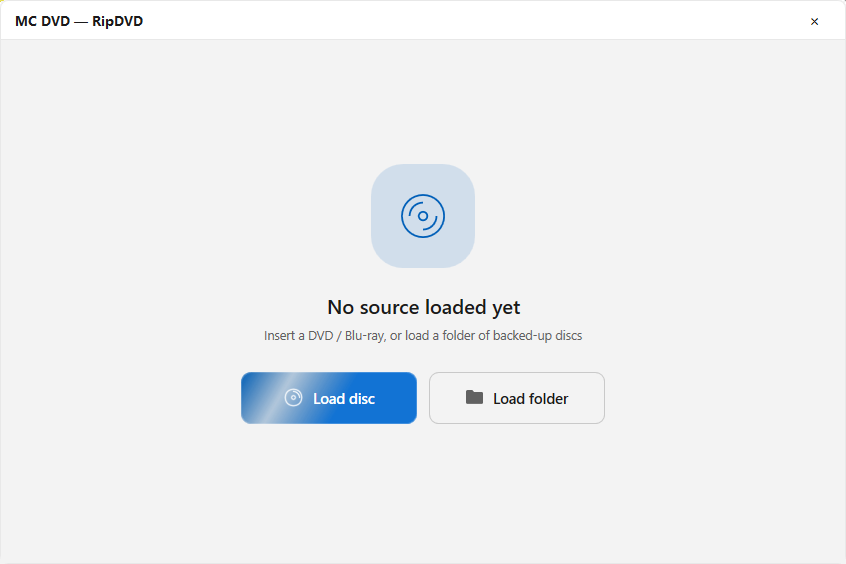
入口在悬浮球最下面一项:RipDVD,打开后是标题为 MC DVD — RipDVD 的独立窗口,界面顶部写着 RIP STUDIO。
It sits at the bottom of the floating ball: RipDVD. It opens its own window titled MC DVD — RipDVD, with RIP STUDIO across the top.
2. 载入来源2. Load a source
空窗口中间写着 No source loaded yet,下面两个按钮二选一:
The empty window says No source loaded yet, with two buttons:
- Load disc:读光驱里的盘。适合手边就有盘的情况;
- Load folder:读已经拷到硬盘的光盘目录(备份盘的常见做法),比用光驱快,也不磨光驱。
- Load disc — read the disc in the drive, for when the disc is at hand.
- Load folder — read a disc folder already copied to the hard disk. Faster, and it keeps the drive idle.
载入后窗口会显示 Analyzing disc structure,扫描时可以点 Cancel scan 中止。扫完列出这张盘里的所有标题。
After loading you will see Analyzing disc structure; Cancel scan stops it. When it finishes, every title on the disc is listed.
3. 选标题、改名字3. Pick titles and rename them
每个标题是一张卡片,卡片上有复选框和可编辑的名字。
Each title is a card with a checkbox and an editable name.
- 勾选:只勾你要的那几个。盘里往往有一堆预告片和花絮,全抓会占很多空间;
- 点名字:可以直接改输出文件名,比
VTS_01_1这种名字好认; - 时长最长的那一条通常就是正片。
- Checkboxes — tick only what you want. Discs carry trailers and extras that quietly eat gigabytes.
- The name — click it and type a real name instead of
VTS_01_1. - The longest title is usually the feature.
4. 画质、格式、输出4. Quality, format and output
- Quality:选择一个画质预设,画质越高文件越大;
- 格式:在 MP4 / MKV / WebM 之间切换。想在电视、手机上随便放选 MP4;想保留更多音轨/字幕选 MKV;
- 输出目录:点输出栏的文件夹按钮选择保存位置;
- 点 Convert 开始。执行中可以点 Stop 中止。
- Quality — pick a preset; higher quality means a bigger file.
- Format — switch between MP4 / MKV / WebM. MP4 for playing anywhere; MKV when you want to keep extra audio tracks and subtitles.
- Output folder — the folder button in the output row.
- Press Convert. Stop cancels a running job.
每张标题卡片上还有状态标记,依次是 Pending(等着)、In queue(排队)、Converting(正在转)、Done(完成)、Failed(失败)。
Each title card also shows its state: Pending, In queue, Converting, Done, or Failed.
libaacs + keydb.cfg 就位,配置不全时蓝光必失败。DVD 不受 AACS 影响。
First, free space on the target drive — a full-length feature usually needs several GB. Second, Blu-ray needs libaacs plus keydb.cfg; without them it always fails. DVDs are not affected by AACS.