Comment
Inserts a comment around the selected text, presentation slide, drawing page or at the current spreadsheet cursor position.


The comments by different authors get different colors. Choose to enter your name so that it can show up as the comment author.
Comments in spreadsheets
When you attach a comment to a cell, a callout appears where you can enter your text. A small square in the upper right corner of a cell marks the position of a comment. To display the comment permanently, right-click the cell, and choose Show Comment.
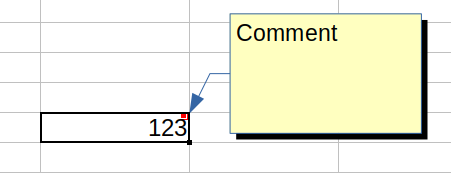
To change the object properties of a comment, for example the background color, choose Show Comment as above, then right-click the comment. Do not double-click the text!
To edit a shown comment, double-click the comment text. To edit a comment that is not shown permanently, right-click in the cell that contains the comment, and then choose Edit Comment. To specify the formatting of the comment text, right-click the comment text in edit mode.
To change the position or size of a comment, drag a border or corner of the comment box.
To delete a comment, right-click the cell, then choose Delete Comment.
You can also right-click a comment name in the Navigator window to choose Edit Comment or Delete Comment.
To set the printing options for comments in your spreadsheet, choose , and then click the Sheet tab.
Inserting Comments in Presentations
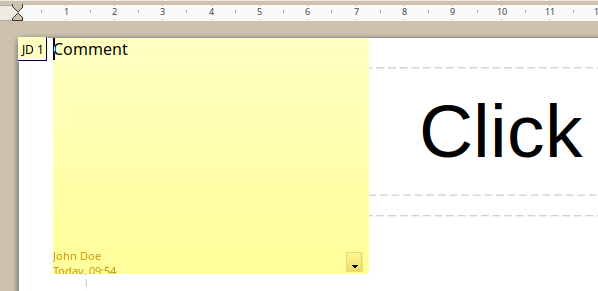
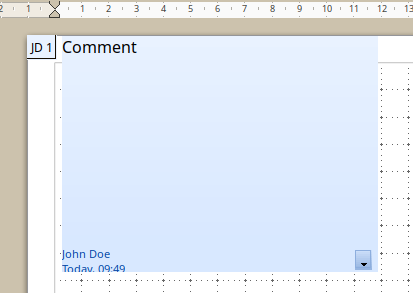
Use the command or the key combination above to insert a comment anchor to the current . A colored comment box is shown at the top left corner, to enter the text of the comment. A small colored box - the anchor - in the top left of the contains the initials of the author name, followed by a sequential number. Click on the anchor to open or close the corresponding comment.
The author name and the comment creation date and time is shown at the bottom of the comment box.
The comment box contains a button with a down arrow. Click the icon to open a menu with commands for comment management.
Inserting Comments in Drawings
Editing comments
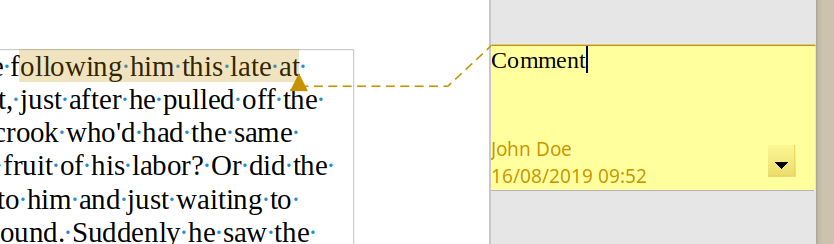
Every user with write permission to the document can edit and delete comments of all authors. You can use the Command+Option
+C key combination to edit a comment at the current cursor position.
In the Find & Replace dialog of text documents, you can select to include the comments texts in your searches.
Replying to comments
If the comment in a text document was written by another author, there is a Reply command in the context menu. This command inserts a new comment adjacent to the comment to which you want to reply. The comment anchor is the same for both comments. Type your reply text in the new comment. Save and send your document to other authors, then those authors can add replies, too.
Marking comments as resolved
When the document has been reviewed and commented and requires your action in its contents, you can mark the comment Resolved or Unresolved. Open the comment context menu or click on the comment dropdown list to mark the Resolved checkbox. When you mark the comment resolved, the word Resolved is inserted under the date in the comment box. When marking unresolved, the word Resolved is removed.
You can toggle the display of all resolved comments in the document. Hidden resolved comments are not displayed in the page margin but are not deleted. You can display back all hidden comments. Choose and mark to display the resolved comments. Unmark to hide resolved comments. The default is to display all resolved comments.
Navigating from comment to comment in text documents
When the cursor is inside a comment, you can press Command+Option+Page Down to jump to the next comment, or press Command+Option+Page Up to jump to the previous comment.
When the cursor is inside the normal text, press the above mentioned keys to jump to the next or previous comment anchor.
You can also open the Navigator to see a list of all comments. Right-click a comment name in the Navigator to edit or delete the comment.
Viewing Comments
Printing comments
You cannot print the comments of the slides.

You can choose to use the Notes view to write a page of notes for every slide.
.